Welcome, Nordea
This guide will help you understand the options available when ordering a Videosync event. Getting familiar with these choices beforehand will make the ordering process faster and help us deliver your event smoothly.
Ready to order? Go to the formContact persons
Your dedicated contacts for Nordea events are listed below. While we're always happy to help, please use the order form to submit new event requests — this ensures your project enters our production pipeline consistently and nothing gets lost.


You can also reach us at any time via nordea@inderes.com.
Project timeline
Our service promise is that we can always deliver a remote webinar with 24 hours' notice. However, to ensure a smooth and stress-free process, we recommend giving at least 2 weeks' notice before the live date.
We're happy to consult on any questions related to your webinars — don't hesitate to reach out before placing an order.
Here's what to expect after you submit your order:
Order submitted
You fill out the event request form. We'll confirm receipt within 1 business day.
Pre-production planning
We'll work with you to finalize the event details, branding, and technical setup.
Tech check
A technical run-through with your speakers to ensure everything works smoothly.
Live event
We handle the production — you focus on delivering great content.
Post-production
Recording is processed and delivered. Analytics report shared.
Player format
Webinars can be implemented in two different formats. As this choice has implications to the production preparations, it is vital that this choice is made well in advance before the production.
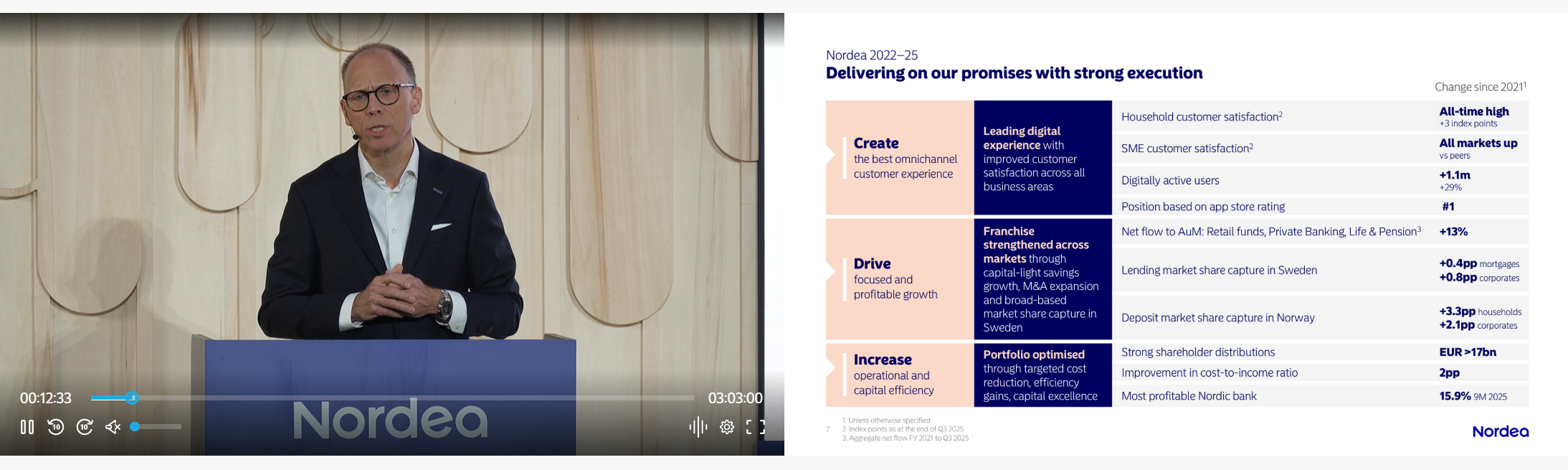
Video + Slides
Optimal for events where presentation slides are a great part of the message conveyed — and the slides do not contain animations.
This format consists of:
- Video feed, containing live speaker(s) cameras and/or pre-recorded video material
- Presentation slides synchronized to the video feed. Slides are automatically navigatable index points in the recording.
Video only
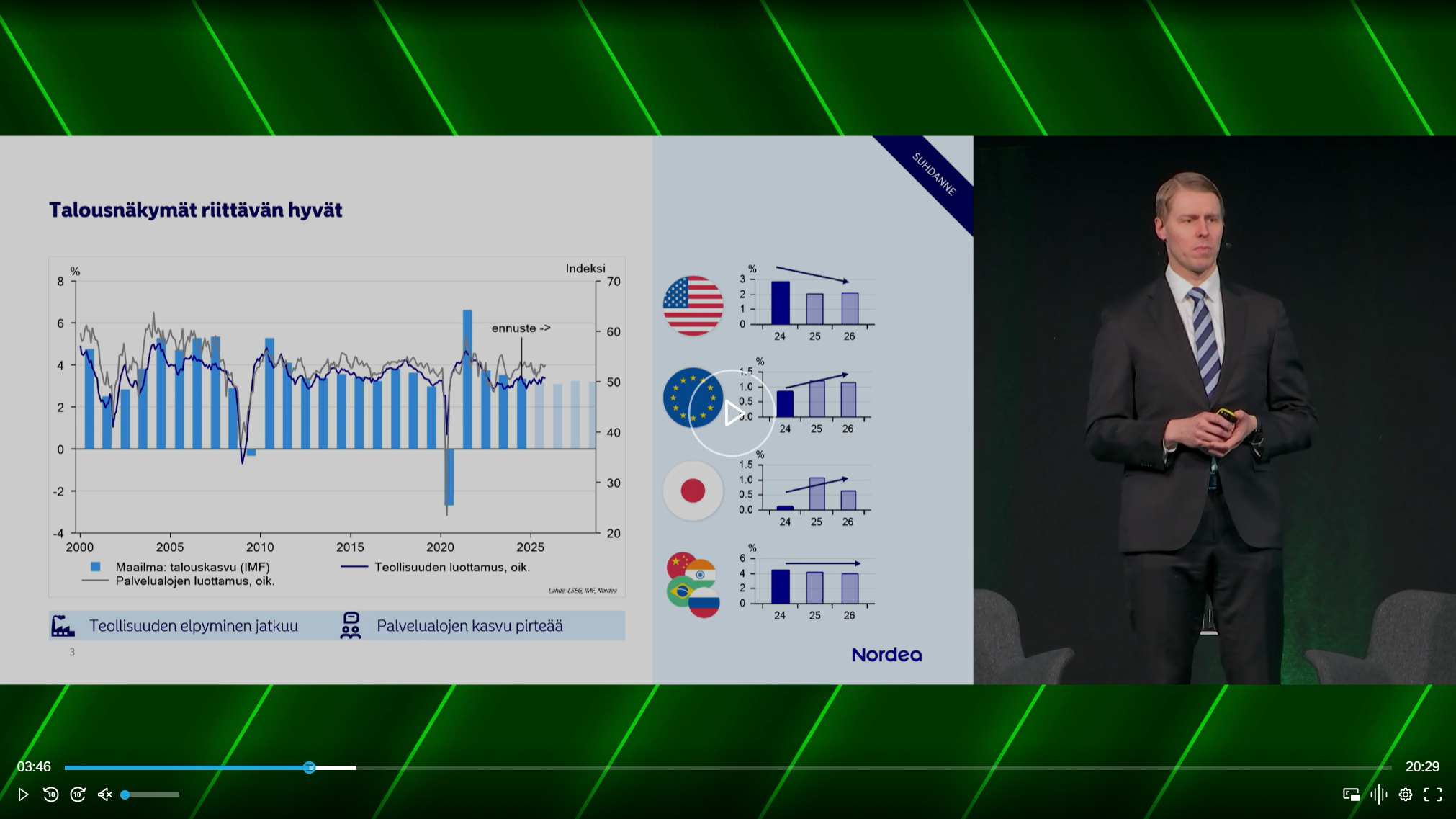
Optimal for events where presenters use slides with relevant animations or other screen share material, or no slides/screen share at all.
This format consists of:
- Video feed, containing live speaker(s) cameras and/or pre-recorded video material
- Screen sharing from one or several presenters.
Registration
Webinars can be set up with different registration options. Your choice affects both the attendee experience and the analytics available to you after the event.
No registration
Open access — anyone with the link can join. Attendee-level analytics (watch time, engagement) will not be available.
Custom registration
Attendees register with their name, email, and company before joining. This enables detailed analytics per attendee, including watch duration and engagement in polls and chat.
Additional options:
- Validated entry — attendees receive a unique access link via email, preventing unauthorized access
- Non-validated entry — attendees enter their details but email is not verified
- Calendar invitation — automatically send a calendar invite upon registration
Whitelisted registration
Access is restricted to approved email domains or specific email addresses. Useful for internal or confidential events.
Q&A and chat options
Events can include different types of audience interaction. You can combine multiple options depending on the nature of your event.
Q&A
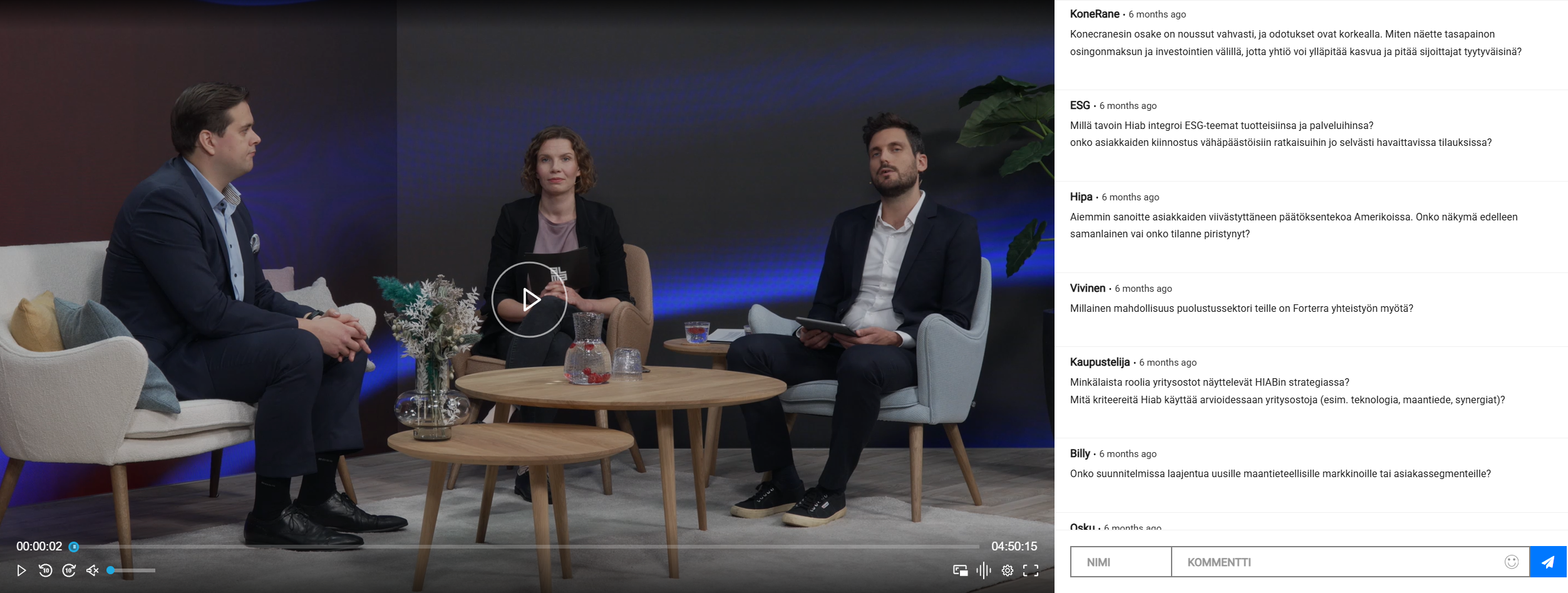
Questions are visible only to speakers and moderators, not to other attendees. Ideal for structured Q&A sessions where the speakers choose which questions to address.
Chat
Attendees can see each other's comments in a shared feed. Can be set up with or without moderation — moderated chat lets you review comments before they are published to the audience.
Private chat
Attendees chat privately with Nordea specialists in one-on-one conversations. Well suited for events where confidentiality is important, such as client advisory sessions.
Polls and surveys
Content coming soon.